
PuzzlePlay: Games & Rewards
PuzzlePlayEntertainment
4.72.84K Reviews
- Version
- 1.30.0
- Installs
- 100.00K
- Age Rating
- Mature 17+
Screenshots
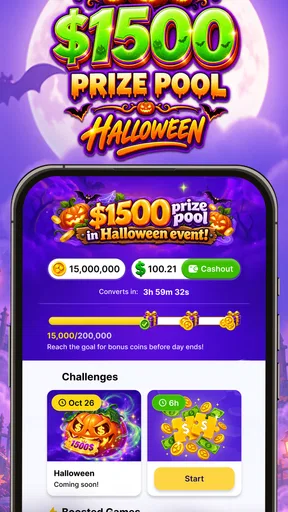
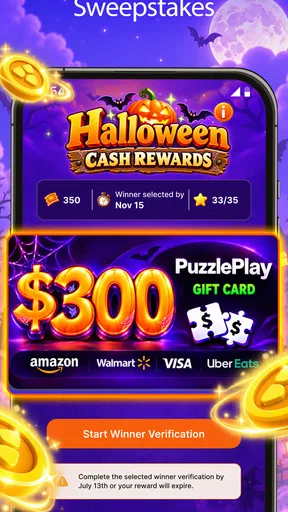

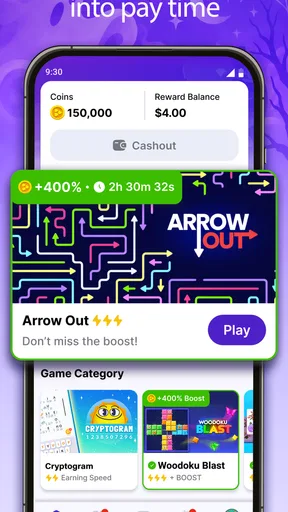
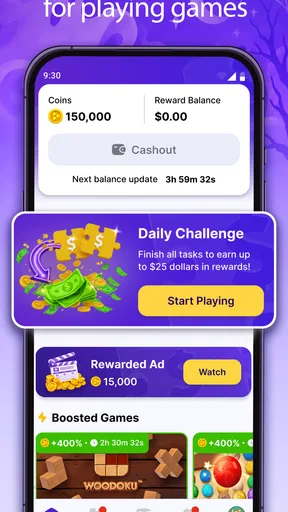
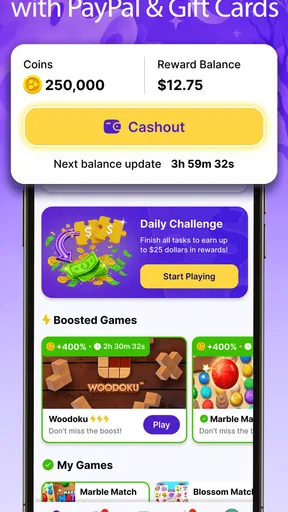
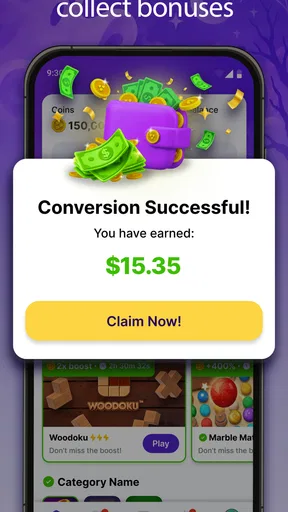
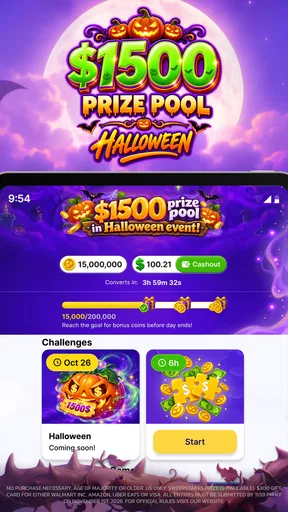
Our Review of PuzzlePlay: Games & Rewards
 Analysis by Appyee
I went into PuzzlePlay: Games & Rewards expecting a simple way to pass time with puzzles, but the reward angle changes how I judge it. This is a free entertainment app from PuzzlePlay that combines casual puzzle play with the possibility of earning gift cards. That makes it interesting for people who already enjoy short brain games, although it is not automatically a better choice than a normal puzzle app.
The most important question is not whether rewards sound appealing. It is whether the puzzles themselves are enjoyable enough to justify returning, and whether the reward process feels like a useful extra rather than the only reason to open the app. After spending time with it, I see it as a lightweight option for small breaks, especially for players who prefer several puzzle activities in one place instead of committing to a single traditional game.
How I Decided Whether PuzzlePlay Was Worth Keeping
I judged the app using four practical criteria: the quality of the moment-to-moment puzzle experience, how naturally the reward system fits into play, how easy it is to use during short sessions, and whether the trade-off is better than choosing a conventional puzzle game. The reward promise alone is not enough for me. An app can mention gift cards and still feel disappointing if the underlying activity becomes repetitive or if progress feels disconnected from the time spent.
PuzzlePlay is currently rated at 4.7 on average, with roughly 7,300 ratings and about 2,800 written reviews. That level of public interest suggests it has found an audience, but ratings cannot answer the personal question of fit. Someone who wants deep strategy, a carefully designed campaign, or a completely uninterrupted game may reach a different conclusion from someone looking for a few minutes of casual play.
I also paid attention to the practical setup. It is free to install, so the initial decision is relatively easy: there is no purchase price to recover. The more meaningful cost is attention. As with any rewards-focused entertainment app, I would rather spend time on it only when the puzzles are genuinely pleasant, not because the reward language makes every minute feel valuable.
The first-session experience and everyday usefulness
The strongest use case is a short idle moment. Imagine waiting for an appointment, sitting on a train, or taking a quick break from household tasks. Instead of opening a social feed and losing track of time, you can use PuzzlePlay for a compact puzzle session. The format suits people who want an activity with a clear beginning and end, rather than an endless stream of posts or videos.
I find this especially useful when I want something slightly more active than passive entertainment. Puzzle solving gives the break a small sense of purpose, while the reward element adds a longer-term reason to return. That does not make the app a source of dependable income; I would treat the gift-card possibility as a bonus attached to casual play, never as a financial plan.
One practical tip is to decide before opening it how long you actually want to play. Reward-oriented apps can make a short break expand into a longer session because progress is always visible in the background. Setting a personal stopping point helps keep the experience recreational. It also makes it easier to notice whether you enjoy the puzzles themselves or are simply chasing the next step.
Why the reward layer changes the comparison
A standard puzzle game usually asks only one thing from me: do I like solving its challenges? PuzzlePlay adds another layer, so I evaluate both entertainment and perceived progress. That can be motivating for players who like visible goals, but it can also make the experience feel less pure than a focused puzzle title.
The distinction matters when choosing between categories. A dedicated puzzle game is usually the better fit for someone who wants polished depth, a consistent visual identity, or a carefully paced challenge curve. A rewards app is more appealing when variety and an extra incentive matter more than mastering one particular puzzle system. PuzzlePlay sits on that second side of the decision.
I would not replace a favorite specialist puzzle game with it if that game already provides the exact challenge I want. Instead, I see PuzzlePlay as a companion choice: something to open when I want casual variety and the possibility of a gift card, rather than a substitute for a serious puzzle hobby.
Where PuzzlePlay is most convincing
The clearest strength is its combination of casual puzzles and gift-card rewards. That pairing gives the app a purpose beyond simply filling time. If I am already inclined to play small puzzle games, the reward structure can make the routine feel more engaging without requiring me to learn a complex system.
It is also approachable for people who do not want a large game installation or a long narrative commitment. The store information identifies it as an entertainment app, and that description matches the way I would use it: as an accessible leisure tool rather than as a full-scale competitive game. Its audience is likely to appreciate convenience and quick engagement more than elaborate progression.
Another advantage is the psychological variety of having puzzles connected to a broader goal. In a normal game, completing a challenge may be satisfying for its own sake. Here, the same action can feel more purposeful because it contributes to the reward experience. That is a subtle difference, but it is the main reason I would recommend trying this app instead of downloading yet another ordinary puzzle title.
A second useful insight is that the reward system works best when it remains secondary. I had a better impression when I treated each puzzle as a small piece of entertainment and allowed rewards to accumulate in the background. If I focused too heavily on the payout, every pause or slower moment became frustrating. The app is more enjoyable when the order is puzzle first, reward second.
What may make the experience less satisfying
The same reward focus that attracts users can create friction. People may approach the app with expectations that are too high, especially if they interpret gift cards as a meaningful return for their time. I would strongly advise against installing it with the mindset of earning regular spending money. Its sensible role is casual entertainment with an incentive, not a replacement for work or a guaranteed benefit.
There is also a possible mismatch for players who dislike switching between different puzzle styles. A focused game can feel more coherent because every level supports one central mechanic. PuzzlePlay’s broader appeal may come at the expense of that single-minded design. If you enjoy learning one system deeply and improving your technique, a specialist title will probably feel more rewarding.
Another limitation is emotional rather than technical: reward progress can make a relaxing activity feel transactional. Some players will enjoy that extra motivation, while others may find that it takes attention away from the puzzles. I noticed that this depends on mood. On a quick break, the added goal is useful. During a longer session, I would rather play something designed around depth than monitor an external incentive.
The mature age classification also matters when deciding who should use it. PuzzlePlay is marked Mature 17+, so I would not choose it as a general family puzzle app or hand it to a younger child simply because the games sound casual. Parents looking for age-flexible entertainment should select an app intended for the appropriate audience instead.
How it compares with ordinary alternatives
Compared with a free standalone puzzle game, PuzzlePlay’s main difference is the reward motivation. A traditional alternative may be cleaner if you want to launch a game, solve levels, and leave without thinking about anything else. It may also be preferable for children, for focused practice, or for someone who wants a predictable puzzle identity.
Compared with a video or social entertainment app, PuzzlePlay offers more active participation. I am making decisions and solving problems instead of only consuming a feed. That makes it a better fit for a short break when I want mental engagement, although it will not provide the same variety as a broad entertainment platform.
Compared with dedicated brain-training products, I would choose PuzzlePlay for lighter recreation rather than structured cognitive practice. The reward element is central to its appeal, while a training-focused app may be better for users who want a consistent program and measurable personal goals. I would not confuse the two categories simply because both involve puzzles.
Compared with another rewards app, the deciding factor should be whether you actually enjoy PuzzlePlay’s puzzle selection. Reward language is easy for different apps to imitate, but the daily experience is what determines whether you will keep returning. If the puzzles feel like chores, a different category is better, even if its reward promise sounds less exciting.
The switching cost most people overlook
Moving from a normal puzzle game to PuzzlePlay is easy in terms of money because the app is free. The real switching cost is habit. If you already have a favorite title with saved progress, familiar controls, and a challenge level you understand, PuzzlePlay must earn your attention rather than simply offer another icon on your phone.
I recommend giving it a fair trial based on enjoyment, not on an imagined reward total. Play during the kind of short break where you would normally use another entertainment app. Notice whether you want to continue because the puzzles are engaging, whether the reward goal adds useful motivation, and whether the mature age rating fits your situation. Those observations are more valuable than judging it after one unusually good or bad session.
A helpful workflow is to keep it in a separate mental category from your main games. Use it when you want casual variety and a possible gift card; use a dedicated puzzle title when you want mastery or a richer challenge. This simple division prevents disappointment because you are asking each app to do the job it was designed to do.
It is also worth being patient with your expectations around rewards. I would not plan a purchase around an anticipated gift card or assume that every minute has the same value. Treat progress as an optional benefit and make your decision based on whether the entertainment would still be acceptable without constantly checking the reward side.
Who should install it, and who should skip it
I recommend PuzzlePlay to adults who enjoy casual puzzle sessions, like having a goal attached to their play, and are comfortable viewing gift cards as an extra rather than guaranteed earnings. It is a reasonable choice for commuters, people who take frequent short breaks, and players who want something more interactive than scrolling.
I would also suggest it to someone who has grown tired of downloading separate puzzle games for different moods. The app’s appeal is not necessarily that one puzzle will replace every other game, but that it offers a convenient rewards-oriented place to begin when you want light entertainment.
I would skip it if your priority is deep strategy, a long story, competitive ranking, or a carefully specialized puzzle experience. I would also skip it for younger users because of the Mature 17+ classification. Finally, if you dislike rewards mechanics or find that they make leisure feel like work, a conventional puzzle game will probably be more relaxing.
Version, availability, and long-term confidence
PuzzlePlay is available as a free app and has passed 100,000 installs. It was released on November 7, 2025, and the current version is 1.30.0. It requires at least OS 10, which is useful to check before installing if you are using an older phone or tablet.
The combination of a 4.7 average and a growing install base gives the app a reassuring first impression, but I still recommend judging it by your own routine. Rewards apps depend heavily on whether the balance between play and incentive feels fair to you. A high public rating can indicate broad satisfaction without guaranteeing that its style matches your patience, age group, or preferred level of challenge.
For a new user, the best approach is to start casually, avoid treating the reward promise as income, and decide after several ordinary sessions rather than one unusually motivated attempt. That gives you a clearer sense of whether the puzzles hold your attention when the novelty fades.
My recommendation after using it
PuzzlePlay is worth trying when you want casual puzzle entertainment with a reward-oriented twist, but it should remain a leisure app rather than a money-making strategy. I like the way it gives short puzzle breaks an additional purpose, and I can see why the combination has attracted a strong audience. The free entry point makes experimentation straightforward, provided the Mature 17+ rating suits you and your device meets the OS 10 requirement.
My final decision guide is simple. Choose it over a standard puzzle game if gift-card motivation and casual variety are important to you. Choose a dedicated puzzle title if depth, consistency, or pure relaxation matters more. Choose another entertainment category if you want passive viewing instead of active solving. For me, PuzzlePlay works best as an occasional companion: engaging enough to revisit, useful for filling small gaps in the day, and most enjoyable when the reward is treated as a bonus rather than the entire reason to play.
Verdict
Strengths of PuzzlePlay: Games & Rewards
- Wide selection of casual puzzles for short play sessions.
- Simple interface makes the app easy for new users to navigate.
- Reward system adds extra motivation beyond completing puzzles.
- Progress tracking helps users monitor completed games and achievements.
- Suitable for relaxing gameplay without requiring advanced puzzle skills.
Limitations of PuzzlePlay: Games & Rewards
- Reward payouts may require significant time and repeated gameplay.
- Some puzzles can feel repetitive after extended use.
- Frequent ads may interrupt gameplay or slow down progress.
- Availability of rewards and features may vary by region.
- The app may collect usage data for personalization and advertising.
Similar Picks in This Category
View All
Google Play Games
Google LLC3.9

Netflix
Netflix, Inc.4.8

YouTube Kids
Google LLC4.2

Disney+
Disney4.4

Prime Video
Amazon Mobile LLC4.7

Steam
Valve Corporation3.2
Frequently Asked Questions
What is PuzzlePlay: Games & Rewards?
PuzzlePlay: Games & Rewards is a mobile gaming app that combines casual puzzle challenges with a rewards-focused experience. After installing it, users can browse available games, play short sessions, and track progress through the app. The exact games, missions, points, and reward options may vary by location, account status, and current promotions, so it is worth checking the in-app terms before spending significant time on a particular offer.
How do rewards work in PuzzlePlay: Games & Rewards?
Rewards are generally connected to completing gameplay activities, reaching milestones, or participating in promotional challenges. The app may use points, coins, or another internal balance before allowing a redemption request. In my experience with reward-based apps, progress can depend on accurate tracking, eligible installations, time limits, and verification requirements. Read each offer carefully, because not every activity necessarily qualifies for cash or a guaranteed prize.
Can I really earn money or gift cards with PuzzlePlay?
PuzzlePlay: Games & Rewards may provide redeemable incentives, but users should treat it as a casual rewards app rather than a dependable income source. Availability, minimum withdrawal thresholds, supported payment methods, and processing times can change. Before playing specifically for rewards, review the current redemption page and user terms. Never assume that every advertised amount is guaranteed, and avoid paying money or sharing unnecessary financial information to unlock a reward.
Is PuzzlePlay: Games & Rewards safe to download and use?
The app should be downloaded only from an official Android or iOS store, where you can review the developer information, permissions, ratings, and privacy details. During setup, pay attention to requests for notifications, advertising identifiers, account information, or other access that may not be essential for casual play. Use a unique password if registration is required, and avoid entering sensitive details unless the purpose and handling of that information are clearly explained.
What should I know before installing PuzzlePlay: Games & Rewards?
PuzzlePlay is best suited to users who enjoy simple games and do not mind advertisements, tracking requirements, or repetitive missions that may accompany reward platforms. Check whether your country is supported, whether your device meets the app requirements, and whether rewards are available in your region. Also review battery, mobile-data, and privacy implications. If you dislike frequent ads or strict redemption conditions, the experience may feel less appealing than a standard puzzle game.
